Dagon SSH is live on Google Play
Dagon SSH 2.2.20 is public on Google Play. You can install it here:
This is the first version that anyone can install without being on a tester list. It took 416 builds, a closed alpha since spring, and an open beta over the summer. The version number says 2.2.20 because the app has been my daily driver for a year and a half; "1.0" would have been a lie.
What Dagon SSH is
An SSH client for Android with an AI agent sitting on top of the terminal, and the server tools I actually use on my own boxes.
The AI terminal, the reason the app exists in its current form:
- Chat: tell it the goal ("nginx won't start after the deploy, fix it"), it proposes the next command, you tap Run & observe, it reads the output and proposes the next step. Long jobs are watched with periodic checkpoints. Nothing runs without your tap, risky commands get no button at all.
- Analyze: one tap on a red screen, you get what happened, why, and up to three fixes.
- Command: speak the request, get the shell line. Fifteen languages.
I wrote about how the agent works and what it will never do in <a href="/blog/introducing-the-ai-terminal/">Introducing the AI terminal</a>.
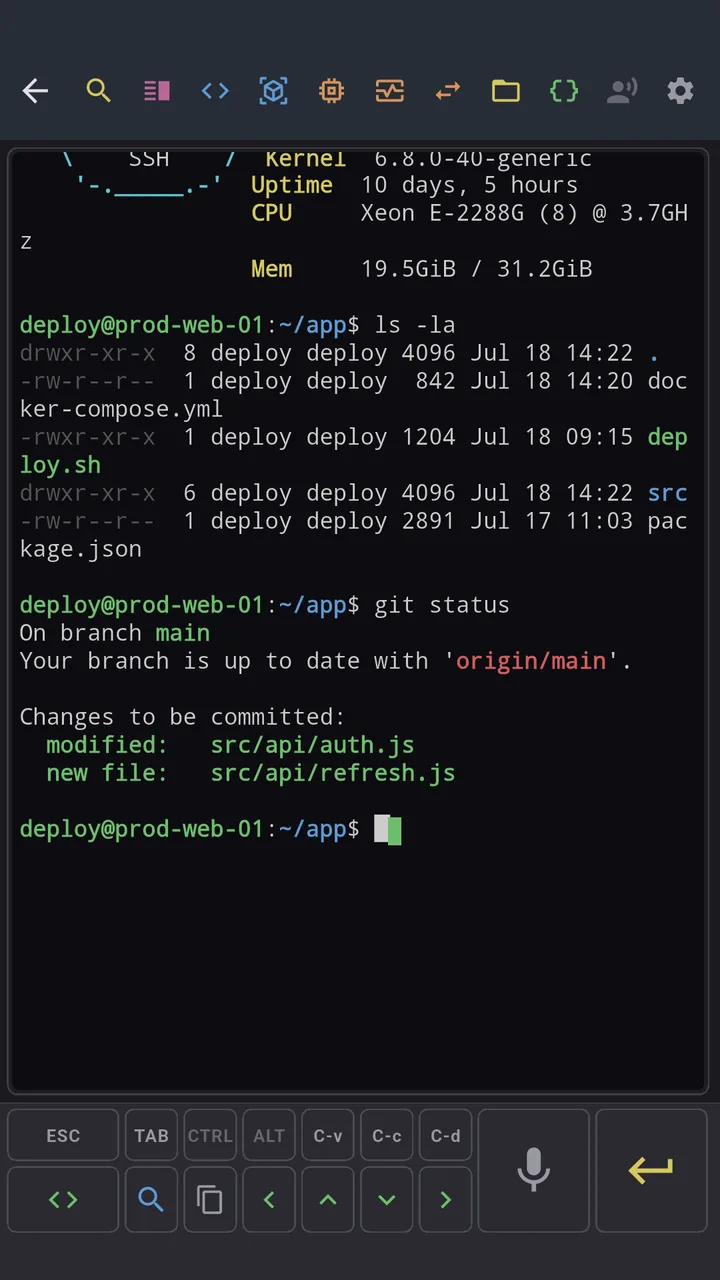
The terminal itself: xterm-256color with 10k lines of scrollback, split panes, tmux integration that survives disconnects, search, copy mode, smart paste, a fully configurable toolbar, 27 themes, hardware keyboard support.
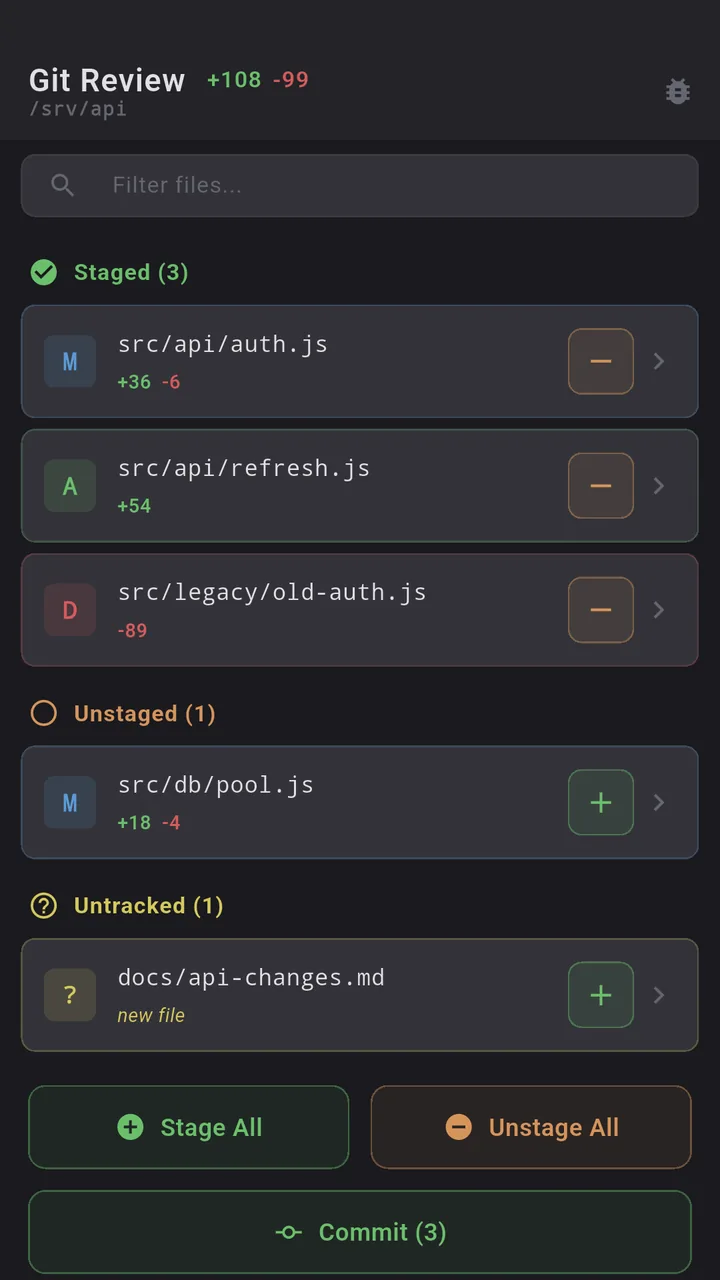
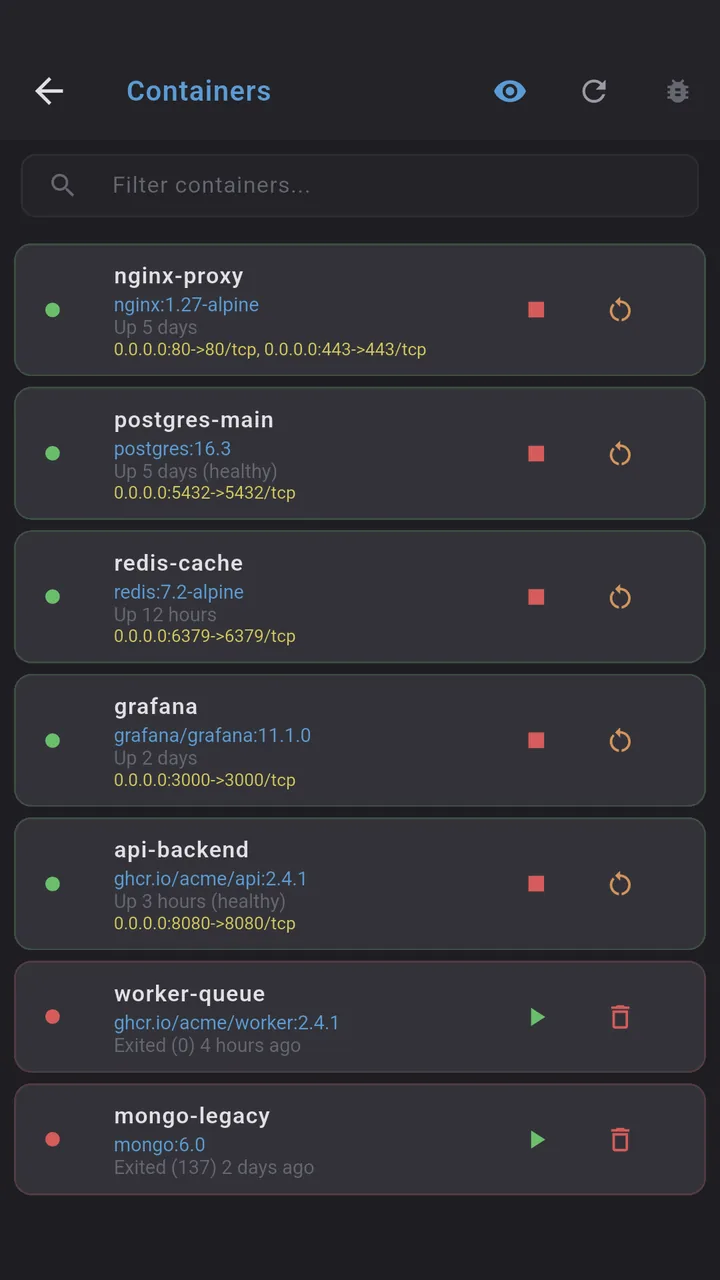
Server tools: Git (diff, log, blame, branches, stash, conflict resolver, GitHub/GitLab PR review), Docker (containers, stats, logs, images, volumes), PM2, SFTP with editor and batch operations, monitoring with GPU, port forwarding, scheduled health checks with push alerts.
What stays on your phone: passwords and keys never leave the device, and neither do hosts or ports. Sync carries labels, tags, layout, nothing that could open a connection. Voice audio is transcribed in transit and never stored. Terminal text goes to the AI only when you switch "Attach terminal" on, after secrets are masked on the device.
What it costs
The terminal is free. Forever. That covers SSH, tmux, split panes, snippets, keys, themes. Premium is the AI terminal, voice, SFTP, Git, Docker/PM2, monitoring and port forwarding, at $2.99 a month or $29.99 a year. Every new account gets 60 days of Premium free, no card. I would rather you decide after two months of real use than after a screenshot.
What I learned getting into the store
Three things cost me more time than any feature, and they are all invisible to users.
Google signs your app with a key it does not show you. Google Sign-In failed with error 10 on Play builds only, for days. The certificates listed on the App Integrity page were not the one Play actually signs with; I had to download a Play-generated APK through the API and read the certificate from it. Once that SHA-1 was registered in Firebase, login worked.
A build can be green and still ship yesterday's code. Two consecutive builds had fresh assets and a new version number but a day-old native library, because Gradle decided the merge step was up to date. The release script now embeds the git commit hash in the binary and refuses to upload unless it finds it there.
Play's 16 KB page-size check reads NDK version stamps, not alignment. A 60-line JNI library inside AndroidX DataStore was flagged in every version Google ships. The fix was to rebuild it from the AOSP source with NDK r28. If you are a Flutter developer hitting the same warning on libdatastore_shared_counter.so, the source and build script are in the app repository under android/native.
What comes next
- A server profile in the agent's context (OS, packages, running services) so it stops asking things it could have checked.
- Multi-step plans the agent lays out before you start tapping.
- Tuning of prompt detection and checkpoint timings from real-world feedback. The exotic shell theme that confuses it is out there somewhere.
Tell me what breaks
This is a one-person project and the fastest way to make it better is to tell me where it fails: <a href="mailto:contact@alpaco.it">contact@alpaco.it</a>, or a review on Google Play if it went well. If you run a home lab and talk to your servers from the couch, I built this for you.