Why Dagon exists
Dagon SSH looks like a normal SSH client. It has a terminal, SFTP, Git, Docker and PM2 tools, server monitoring. All of that is real and I use it every day. But it is not why I built the app.
I built Dagon because more and more of my actual work happens by talking to an LLM inside a terminal, and doing that from a phone was miserable.
The workflow that did not fit a phone
On my machines I run models both locally and in the cloud: ollama for local inference, Claude and Cursor for the heavier coding sessions. The loop is always the same. Open a terminal on the box where the code lives, start the agent, and then drive it with short natural-language instructions: "run the tests", "fix the failing one", "commit and push". The model reads the repo, edits files, runs commands. I mostly watch and steer.
That loop is fantastic on a laptop. On a phone it falls apart, and not because of SSH. SSH from a phone has been solved for years. It falls apart because the input is wrong. You are not typing ls -la. You are typing whole sentences to an agent, on a glass keyboard, one thumb at a time, while the model waits. The friction is so high that you just close the app and wait until you are back at a desk.
So the question that became Dagon was simple: what if you did not type the sentences at all?
Speak the command, do not type it
The core feature of Dagon is voice. You hold the mic button, say what you want, and the transcription is dropped straight into the terminal as if you had typed it. "Run the migration and show me the last twenty lines of the log." That is a sentence no one wants to thumb-type, and it is exactly the kind of thing you say to an LLM agent all day.
This changes what a phone SSH session is for. It stops being "emergency access when the server is down" and becomes a genuine place to work with an agent: kick off a Claude or Cursor session on the remote box, talk to it, read what it did, talk again. The terminal is the interface the agents already speak, and your voice is the fastest way to feed them.
A few things had to be true for this to feel good:
- The transcription lands in the terminal, not in a chat box. There is no Dagon-specific AI layer in the middle. Whatever agent you already run,
ollama run,claude, a Cursor session over SSH, receives your words as plain input. Dagon does not care which model it is. - Nothing about your servers leaves the device. Hosts, ports, usernames, passwords and SSH keys live only in the phone's secure storage. Voice audio is sent for transcription and then discarded; it is never tied to your connections.
- It works one-handed. Hold, speak, release. That is the whole gesture.
The toolbar is for everything you do not say
Voice is great for sentences. It is terrible for Ctrl-C, Tab, Esc, arrow keys and the handful of exact keystrokes an agent session needs. So the other half of the design is a fully customizable toolbar above the keyboard.
You lay out your own buttons: a single key like Esc, a combo like Ctrl-C, a whole snippet like git status, or a shortcut you use constantly in your agent flow. Drag them where your thumb naturally rests, set the width and height, and if you work in different modes you can keep several named toolbars and swipe between them.
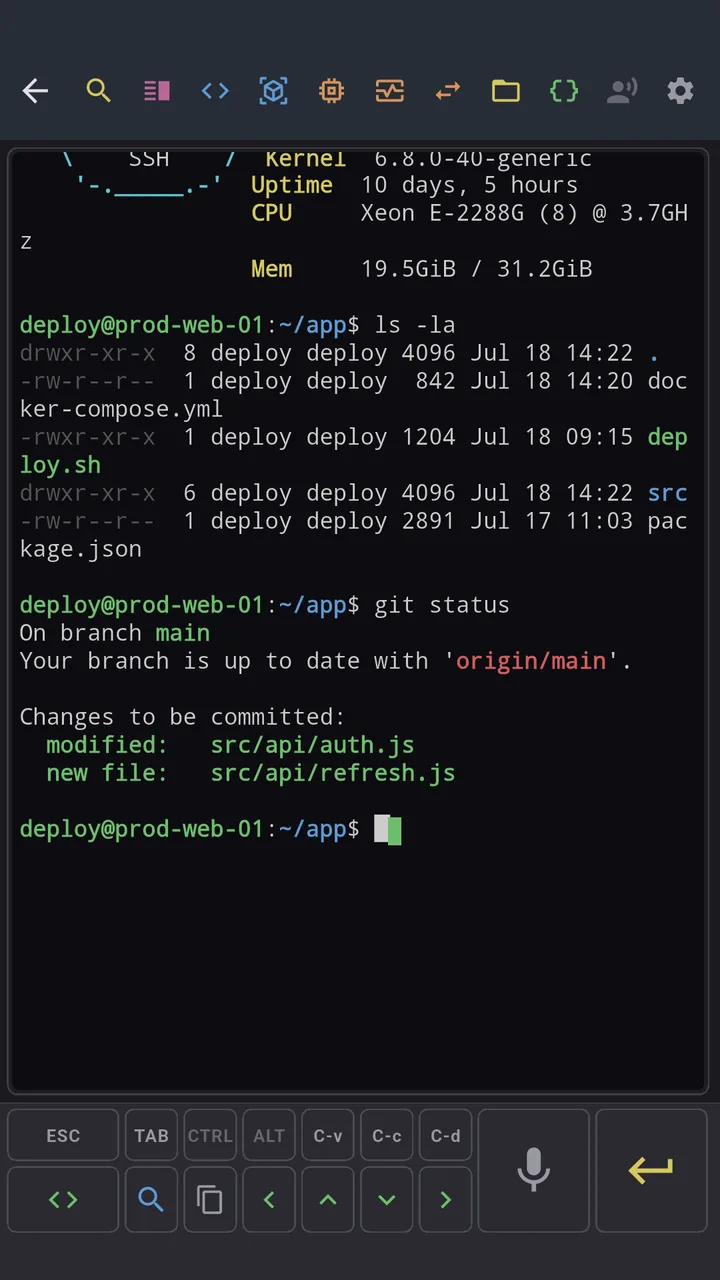
The split is deliberate:
Say the intent, tap the control. You speak the sentence you would say to a person, and you tap the keys you would never dictate out loud.
That is the whole ergonomic idea behind Dagon. Long, fuzzy, natural instructions go in by voice. Short, exact, mechanical keystrokes go in by toolbar. Between the two you can run a real agent session from a bus stop.
So what is Dagon, really
It is an SSH terminal, yes. I reach for it over any other client because it is built for the era where the terminal is how you talk to ollama, Claude and Cursor, and where the best input device you have in your pocket is your voice.
Everything else, the Git and Docker and monitoring tooling, is there so you never have to leave once the agent hands the work back to you. But the heart of it is the mic button and the toolbar.