Termux alternative for Android in 2026
termuxssh-clientterminalandroidvoice
Let me say this up front: Termux is one of the most impressive things on Android. A full Linux box in your pocket, no root, a real package manager, compilers, cron, actual services running on the device. It is genuinely brilliant, and the people who keep it alive deserve every bit of praise they get.
So this is not a "Termux is bad" post, because it is not. It is simpler than that. We all work a little differently, and the one thing a tool this general was never going to do is bend around your own habits. That gap, a terminal shaped to how you personally work, is the whole reason I ended up building Dagon.
Termux really has two halves, and which one you want more from decides everything.
If you only ever wanted to SSH into your servers
A lot of people install Termux just to run ssh to their boxes, because it was the terminal they already had. It does the job well, that is not in question. It just was never meant to be a dedicated client, so the shape is different from what a lot of us want: no connection list, keys are files you babysit, and the session dies the second Android decides your terminal has been in the background too long.
That last part is exactly the itch Dagon SSH was built to scratch:
- Connections, not command history. Hosts with tags, colours and search, each with its own user and key. Already keep a
~/.ssh/config? Paste it in and they import. - Keys that stay put. Generate an Ed25519 key in the app (it lives in the Android Keystore) or import an existing OpenSSH or PEM one. Nothing leaves the phone.
- Sessions that don't die. Dagon holds a foreground service while you are connected and re-attaches to tmux when the link drops, so the build you kicked off before the train hit a tunnel is still running when you get signal back.
- Split panes, real SFTP, voice. Two sessions side by side, a file browser you can actually edit in, and a mic button for the times you are dictating a long command instead of thumbing it out.
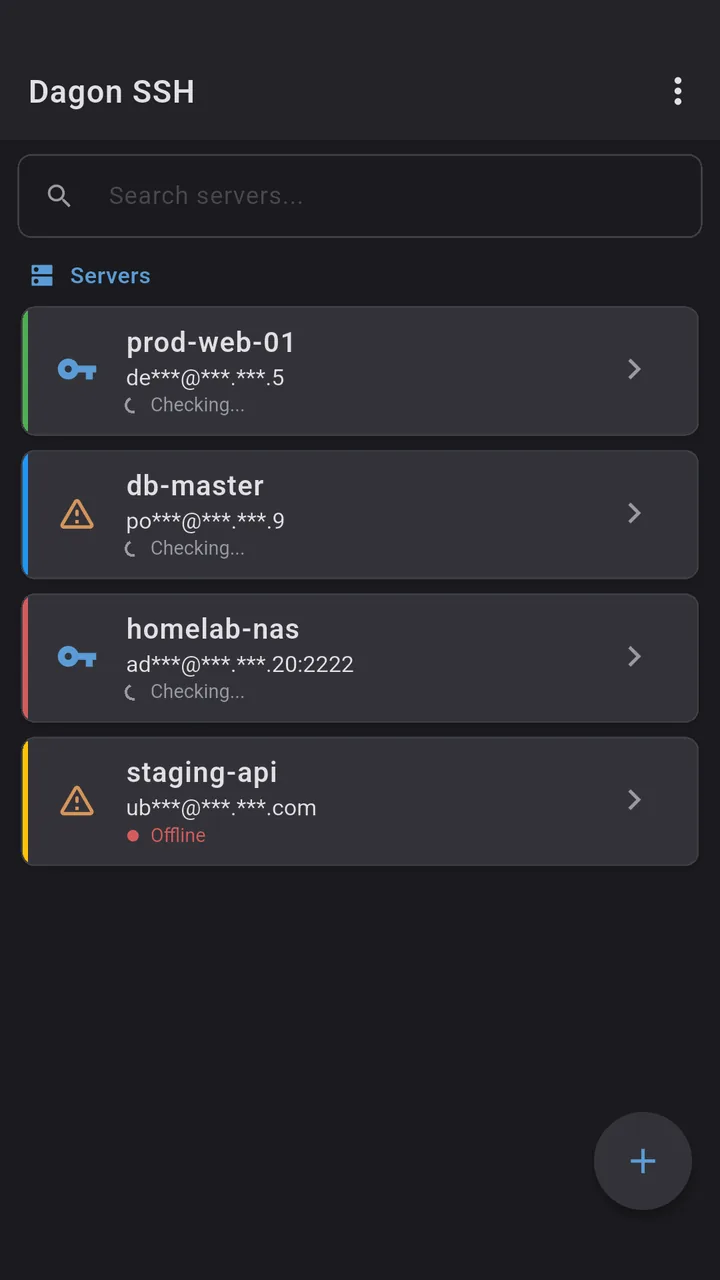
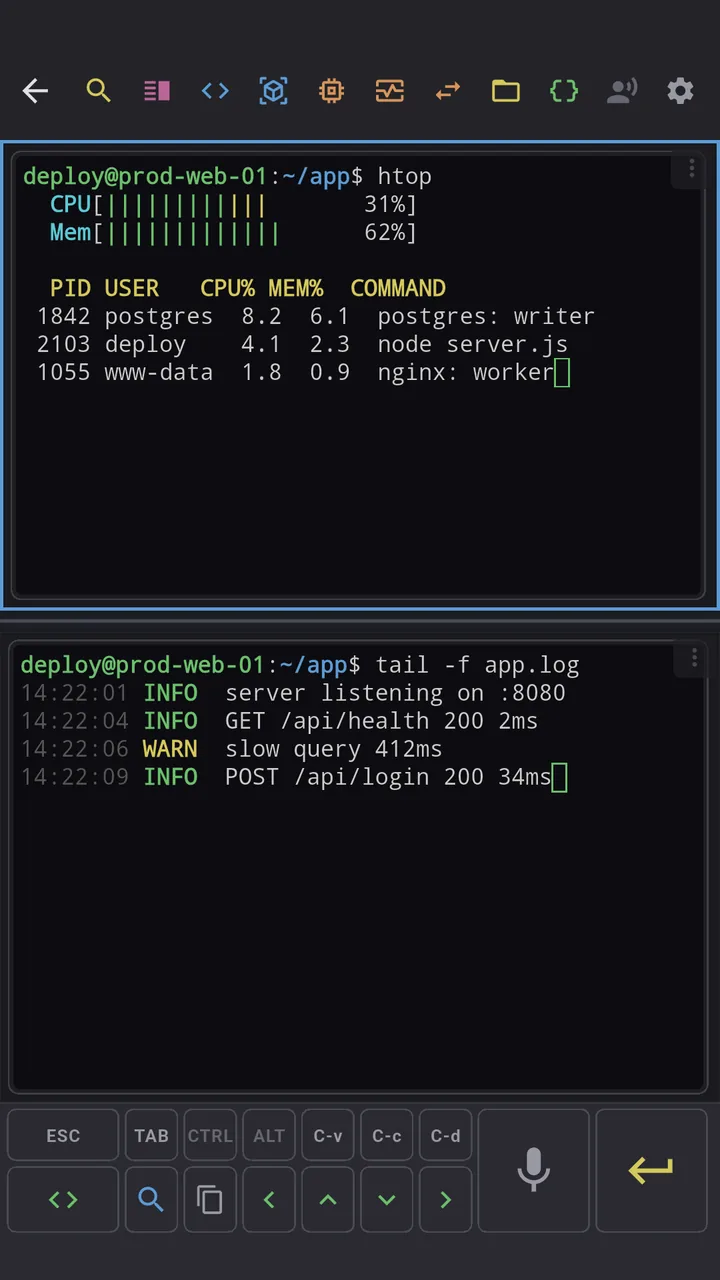
The heavier tools (Git, Docker, PM2, monitoring, an optional AI agent) sit behind Premium: 60 days free, then $2.99 a month. The terminal, keys and snippets are free with no time limit.
If you like Termux and just want a nicer terminal in front of it
This is the part I actually use, and most comparison posts skip it. You don't have to choose. Termux is a good local Linux box; Dagon is a good terminal. Put one in front of the other, on the same phone.
Termux can run its own SSH server. Point Dagon at it over localhost and everything Dagon does, voice, tmux that survives, split panes, the file browser, lands on top of your local Termux setup. Set it up once:
- In Termux, run
pkg install openssh. - Give yourself a way in:
passwdfor a password, or paste your Dagon public key into~/.ssh/authorized_keys. Keys are the cleaner option. - Start it with
sshd. Termux listens on port 8022. - Check your username with
whoami(something likeu0_a123). - In Dagon, add a connection to
127.0.0.1, port8022, that username, and the key or password from step two. Connect.
That is the whole thing. Your local shell, your pkg installs, your scripts, now all get voice input, a tmux session that won't die, and split panes. Add sshd to your Termux startup if you want it always on.
What Termux does that Dagon does not
To be clear, so nobody grabs the wrong tool: Dagon is a client. It will not give you a local Linux environment. If you need to install packages on the phone, compile something, or run a service or a cron job on the device itself, that is Termux, and Dagon does not replace it. It sits in front of it. Dagon is also SSH only, no Telnet, and there is no plugin system like Termux's pkg world.
So if you were using Termux purely to reach remote servers, Dagon is the nicer tool and you can hand that job over. If you use Termux for the local Linux itself, keep it, and let Dagon be the terminal around it and for everything remote.
Where to get it
Dagon SSH is on Google Play. The free tier has no time limit; Premium is 60 days free, no card.
Running Termux with sshd and something in that localhost setup behaves oddly? Tell me. The ~/.ssh/config import and the tmux re-attach both came from people describing the workflow they refused to give up.