Git on Android: a real git client in 2026
"Git on Android" really means two different things, and most of the guides you find are about only one of them.
The first is the Termux way. You install a Linux environment on the phone, git clone a repo into it, then commit and push from the phone itself. That is genuine local development on Android, and if that is what you need, Termux does it well, and there is a separate post on it. This is not that post.
This is the other half, the one I kept hitting: the repository lives on your server, you are SSH'd into that server from your phone, and you want to do the things you normally do in a git GUI on your laptop, check a diff, read the log, switch a branch, stash, resolve a conflict, look at a pull request, without typing git log --oneline --graph --all on a glass keyboard and squinting at the output. That is the gap Dagon's Git screen fills.
The Termux way, and when it is the right one
If you want to develop on the phone, clone a repo down, edit files locally and push back, Termux plus git is the honest answer. It is a real Linux git, on the phone, with all the power and all the typing that implies. Dagon does not clone repos to your phone and it is not trying to. If local-on-device git is the goal, keep Termux.
The repo is on your server
Dagon is built for the other case. You already have an SSH session to the box where the repo lives, the way you would from your laptop, and you want a git client over that session instead of a terminal full of git output.
Everything the Git screen shows is the repo on the server, queried over your SSH connection. Nothing is cloned to the phone. Your tokens, your remote, your server's git version, all of it stays where it is. The phone is just a view onto it.
What the Git screen actually does
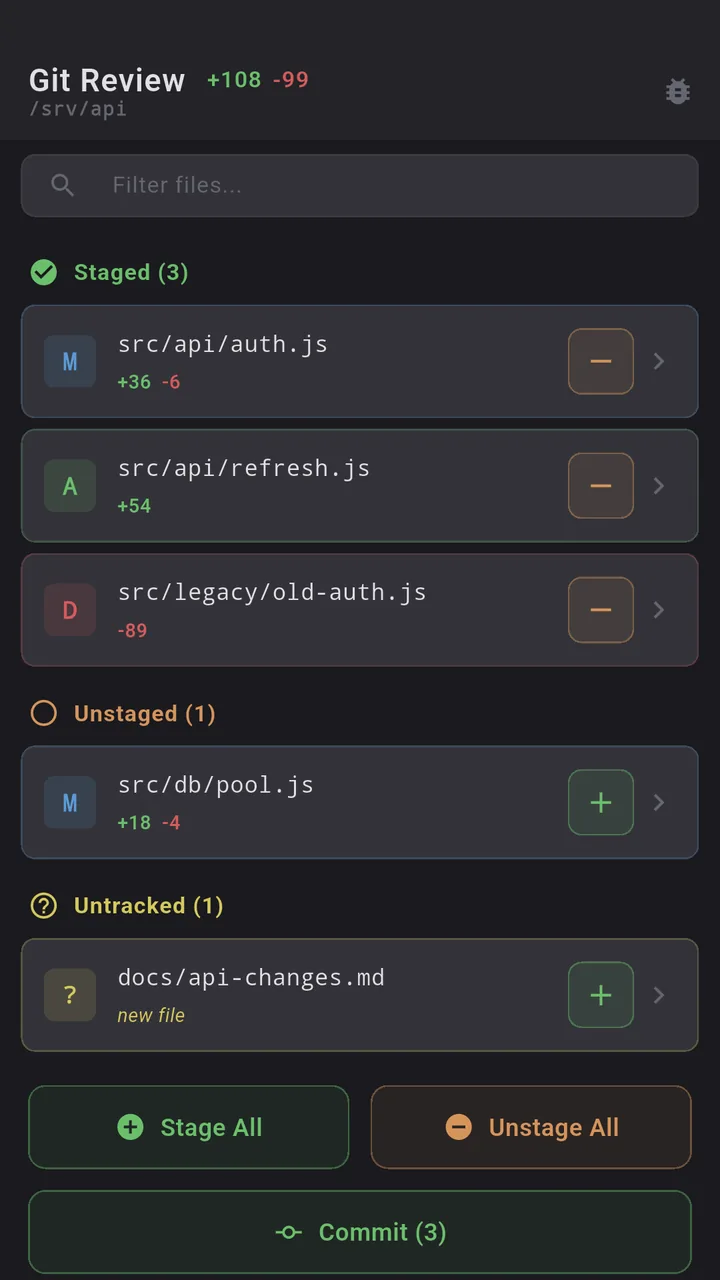
It is a real git client, not a styled terminal:
- Diff: see what changed, file by file, the way a desktop git GUI shows it, not a wall of
+and-you scroll through sideways. - Log: a readable history with branches and merges, not
git log --oneline --graphoutput you have to pan. - Blame: who changed this line, when, in which commit, without typing
git blameand parsing it yourself. - Branches and checkout: list branches, switch between them. The thing you do five times a day.
- Commit, push, pull, merge: the everyday loop, with a UI instead of flags.
- Stash: list, push, pop, apply, drop, show. Stash is the one I always get wrong from memory, and having it as buttons is most of the reason this screen exists.
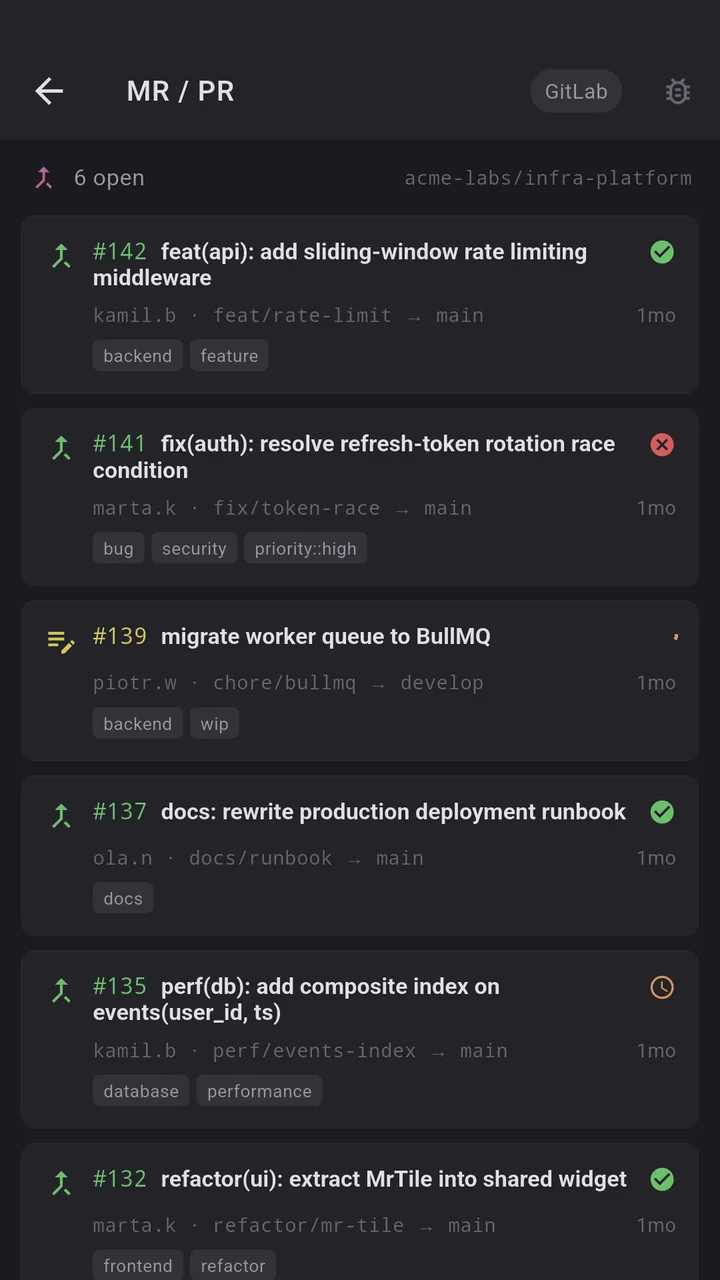
- Pull request review for GitHub and GitLab: read the PR, look at the diff, follow the conversation, from the same place you are already working.
What it is not
- Not a clone-to-phone client. If you want the repo on your device, this is the wrong tool, use Termux.
- Not a GitHub app. It does not file issues or open pull requests. PR review is the read side, looking at what someone else opened, not creating one yourself.
- Not an interactive rebase editor. For the scary merges and rebases, you still want a real keyboard. The screen is for the 90 percent of git you do every day, not the 10 percent you do twice a year.
A phone session
You are on a train, a PR comment pings, you open Dagon, tap into the Git screen on the server the PR is heading to, read the diff, switch to the branch, pull, stash a local change, run the thing, and close the phone. Thirty seconds of glass keyboard, not three minutes of git log sideways scrolling.
Where to get it
Dagon SSH is on Google Play. The terminal, snippets, keys and themes are free with no time limit. The Git screen is part of Premium, along with Docker, PM2, monitoring, SFTP, voice and the optional AI agent, 60 days free for every new account, no card.
If the git workflow you reach for most is not in that list, tell me. Half of the Git screen came from people describing the exact sequence they kept mistyping.