JuiceSSH alternative for Android in 2026
juicesshmigrationssh-clientandroid
For a decade, JuiceSSH was simply the best SSH client on Android, full stop. Polished, fast, beautifully thought through, the app everyone recommended without a second thought. It earned every bit of that reputation. Then Google Play pulled it on 11 December 2025, and its last real update was back in February 2021. If it is still on your phone it keeps working, but you cannot install it on anything new, and nothing has been fixed in it since Android 11.
So none of this is a takedown. JuiceSSH was superb. Still, we all work a little differently, and no single app can be built around your individual workflow. That missing piece, a client that bends to how you actually use it, is what I went looking for. Here is how Dagon lines up. What carries over, what is new, and the couple of things JuiceSSH did that Dagon does not.
The stuff you will barely notice moving
Almost everything people used JuiceSSH for is in Dagon's free tier:
- Password or key auth: Ed25519 keys generated in the app, or your existing OpenSSH or PEM key imported from a file. Keys live in the Android Keystore and never leave the phone.
- Shared credentials: JuiceSSH kept "identities" separate from connections. Dagon keeps it flatter: a key or password per connection, and the same key is reusable across connections from a picker.
- Tags and groups: tag connections, filter by tag, search by name or host, and colour a connection so production is visibly red.
- Port forwarding: local and remote forwards from a form, listed with status, and you start or stop them in the app. A Pro feature in JuiceSSH; part of Premium in Dagon (60 days free, then $2.99 a month).
- Snippets: saved commands with parameters, one tap to drop into the terminal.
- Hardware keyboard: Ctrl, Alt, arrows, function keys, with an on-screen toolbar you can shape for the keys you do not want to dictate.
- Mosh: roaming, lag-tolerant sessions, same as JuiceSSH had.
The pieces I always wished were there
tmux that survives. JuiceSSH sessions died when Android killed the app in the background. Dagon runs a foreground service while a session is open and re-attaches to tmux on reconnect, so a build you started on the train is still there when you look again.
Split panes. Two or more sessions on one screen. Handy on a tablet, surprisingly usable on a phone held sideways.
SFTP with an editor. Browse, preview images and Markdown, edit text in place, upload from the phone, batch download. JuiceSSH never had a file browser.
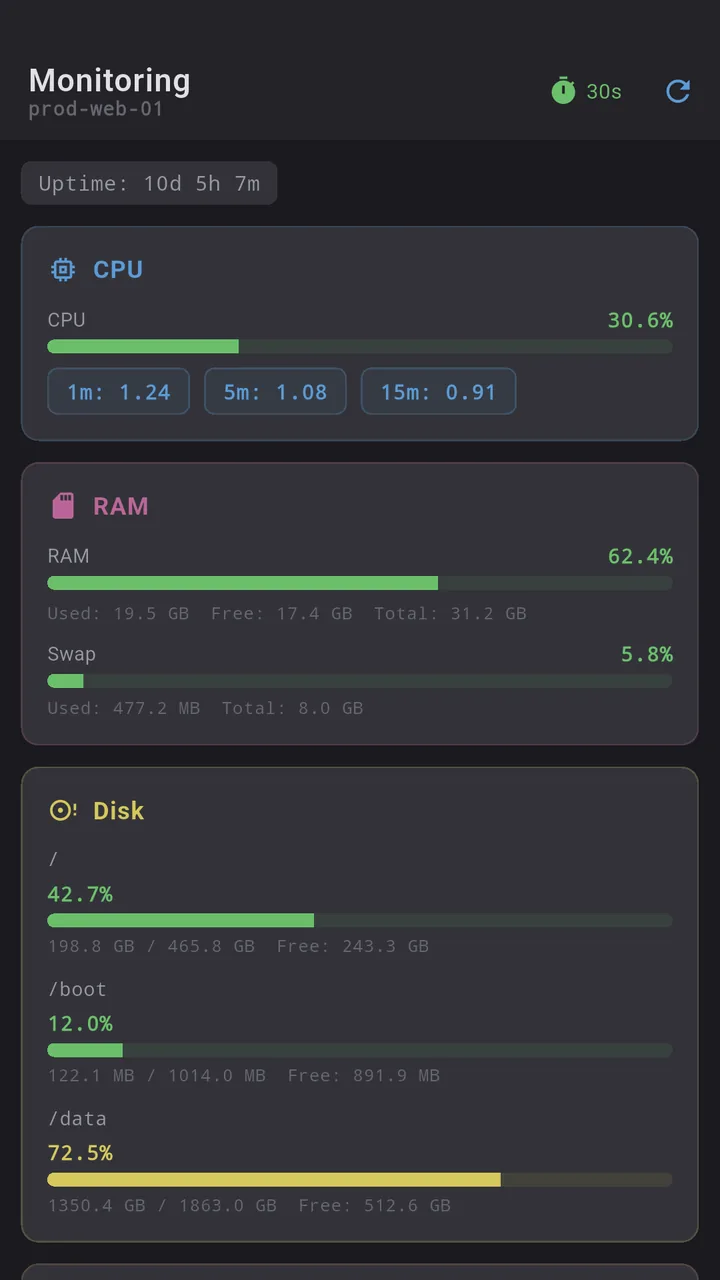
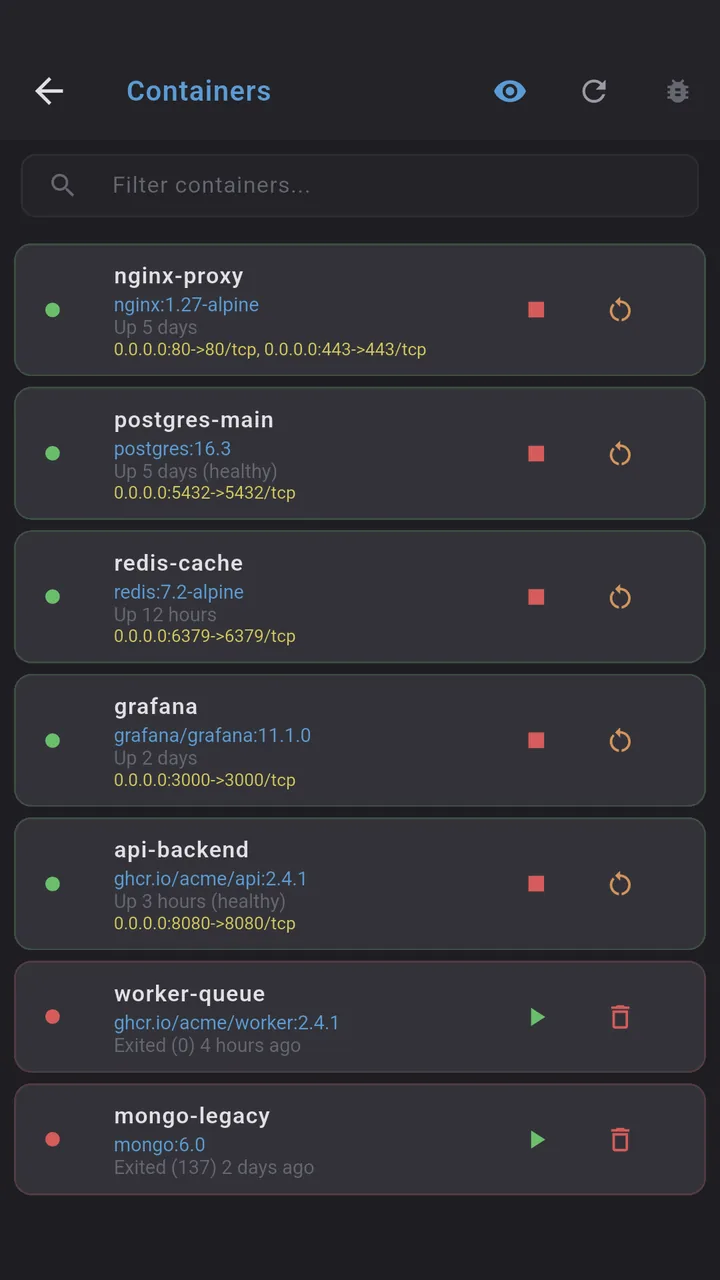
Tools that are not a terminal. Git (diff, log, blame, branches, stash, conflicts, PR review for GitHub and GitLab), Docker (containers, logs, stats, images, volumes), PM2, CPU/RAM/disk/GPU monitoring, and scheduled health checks with push alerts. All Premium.
Voice input. Hold the mic, say the sentence, it lands in the terminal. This exists because I type most of my agent prompts from a phone, and a glass keyboard is the worst possible tool for that.
An optional AI agent. One button in the toolbar, off until you open it, blind until you switch "Attach terminal" on, and it never runs a command itself: it proposes, you tap, risky ones get no button. Ignore it and Dagon is just a terminal.
What JuiceSSH had that Dagon does not
- Telnet. Dagon is SSH only. If you need Telnet for old network gear, it will not help.
- Plugins. JuiceSSH had a plugin API (performance monitor, Tasker). Dagon has none.
- Open source. JuiceSSH was closed too, but if that is your line, the open options are ConnectBot and Termux, and there is a separate post on ConnectBot.
Bringing your hosts across
JuiceSSH's backup was an encrypted format only JuiceSSH could read, so there is no direct import. Two ways that work:
- From
~/.ssh/configon any machine. In Dagon, open the connection list, menu, "Import from SSH config", paste the file. Host, HostName, Port, User, IdentityFile and ProxyJump are mapped; passwords are not, since SSH config never had them. - By hand, once. Add the hosts, export a Dagon backup (Settings, Other, Export), and you never do it by hand again: the backup brings connections and keys back on a new phone, with your snippets and settings.
Keys: if you still have the private key file you originally imported into JuiceSSH, import it in Dagon (Settings, SSH keys, Import; OpenSSH and PEM are accepted). If the key only ever lived inside JuiceSSH, the clean path is a fresh Ed25519 key in Dagon plus its public key added to authorized_keys on each server.
Where to get it
Dagon SSH is on Google Play. Terminal, snippets, keys and themes are free with no time limit; everything else is Premium, 60 days free for every new account, no card.
If something from your JuiceSSH workflow is missing, tell me. The connection tags, the health checks and the ping status on the list all came from people describing what they were used to.